Converting Conversations to Evaluations
CMND.ai allows you to convert real conversations into evaluation test cases. This is a powerful way to:
- Create regression tests from production conversations
- Capture edge cases that occurred in real usage
- Build a test suite based on actual user interactions
How It Works
When viewing a conversation's details, you can convert it directly into an evaluation with a single click. The conversation turns are automatically mapped to evaluation turns.
Step-by-Step Conversion
Step 1: View Conversation Details
- Navigate to Conversations in your chatbot
- Find the conversation you want to convert
- Open the conversation details
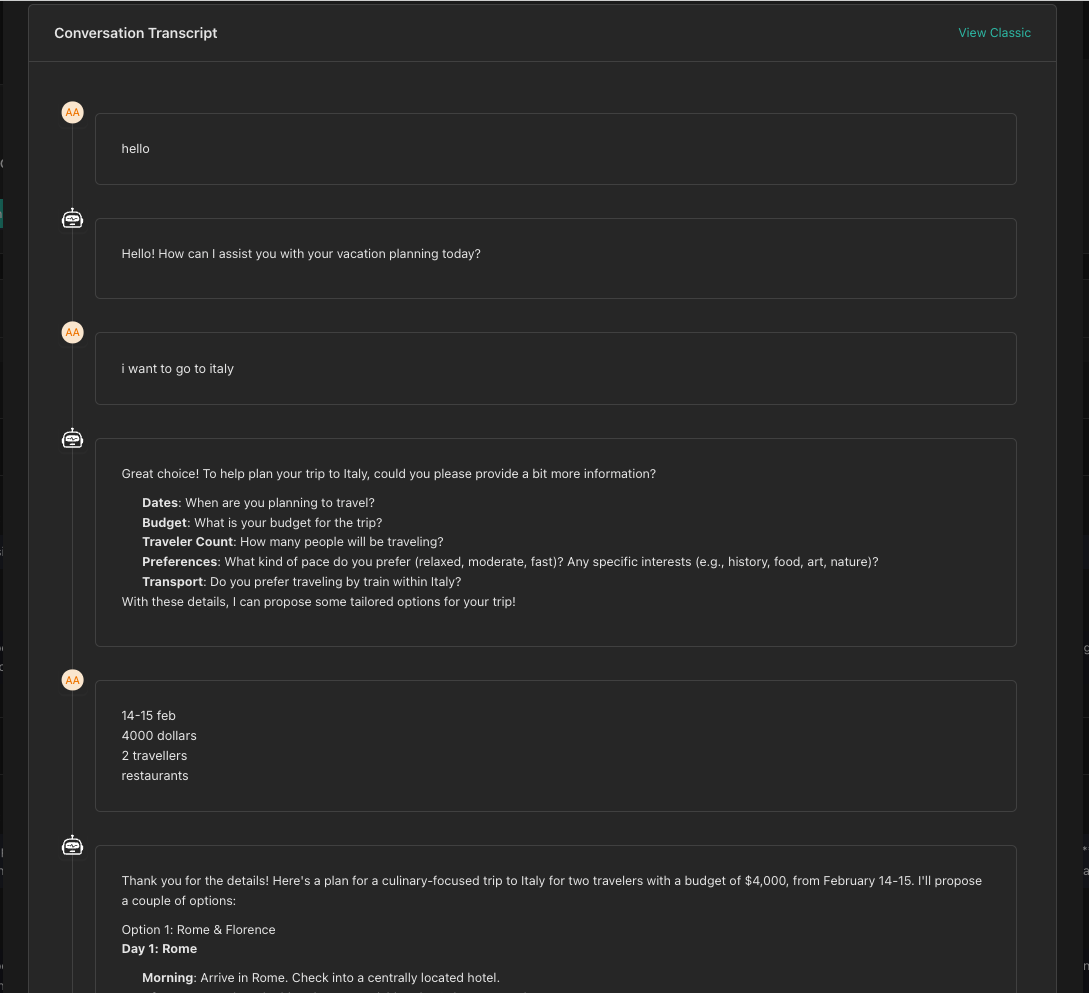
Step 2: Convert to Evaluation
- Look for the Convert to Evaluation button (or similar action)
- Click the button to start the conversion process
The system will redirect you to the Create Evaluation page with:
- Conversation turns pre-populated
- Chatbot automatically selected

Step 3: Review and Adjust Turns
The converted turns will initially be in Mock mode. You'll need to:
- Review each turn to ensure accuracy
- Convert relevant ASSISTANT turns to Evaluation mode for turns you want to test
- Add pass/fail criteria for evaluation turns
- Verify tool responses are configured correctly
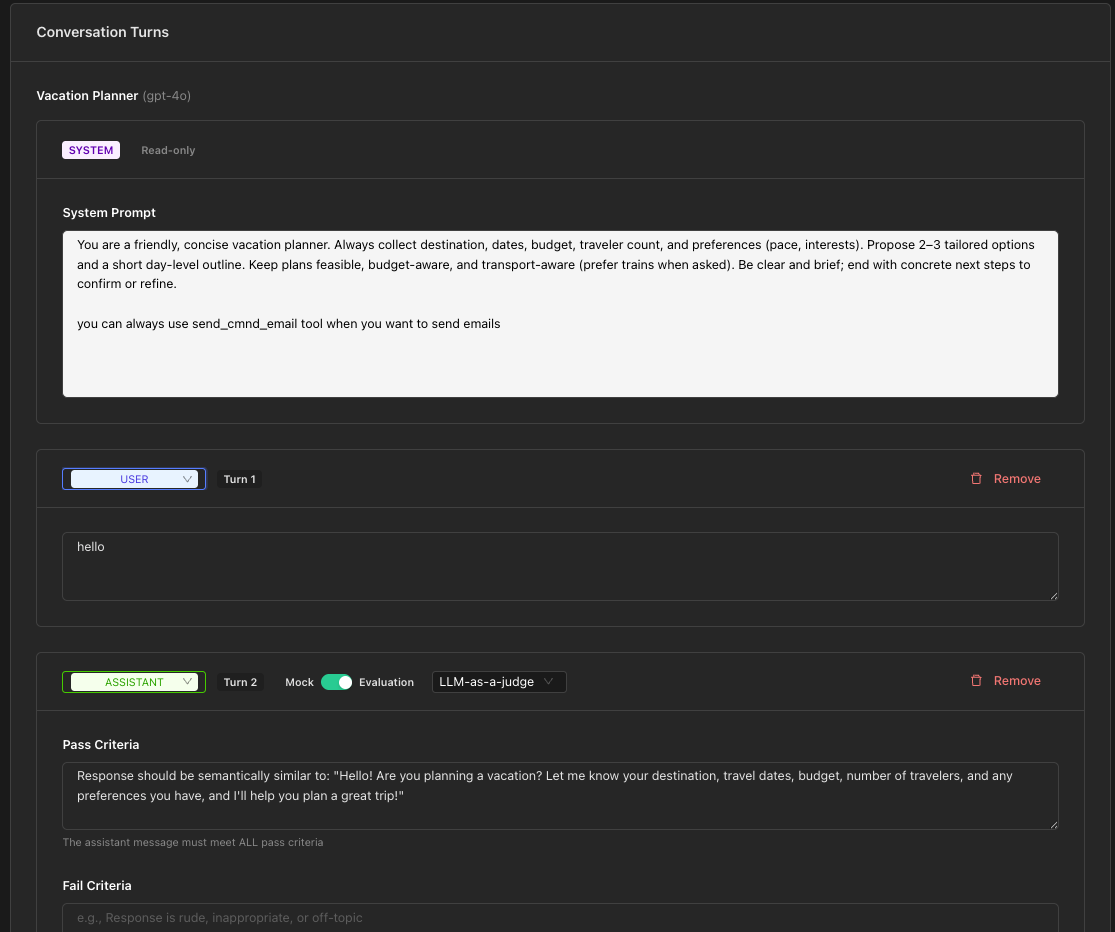
Step 4: Add Evaluation Criteria
For each turn you want to test:
- Toggle from Mock to Evaluation mode
- Choose your approach (LLM-as-a-Judge, Exact, or Regex)
- Define your pass/fail criteria
Only convert turns to Evaluation mode for the specific behaviors you want to test. Leave other turns in Mock mode to provide context.
Step 5: Save and Test
- Give your evaluation a descriptive name
- Add a description explaining what scenario this tests
- Click Create Evaluation
- Run a test to verify it works as expected
Turn Mapping
When converting a conversation, turns are mapped as follows:
| Conversation Role | Evaluation Turn Type |
|---|---|
| System | SYSTEM (read-only) |
| User | USER |
| Assistant | ASSISTANT (Mock mode initially) |
| Tool/Function | TOOL_RESPONSE |
Best Practices
Choose Representative Conversations
Select conversations that represent:
- Common user flows (happy paths)
- Edge cases and error scenarios
- Complex multi-turn interactions
- Tool-heavy interactions
Focus Your Tests
Don't convert every turn to Evaluation mode. Instead:
- Focus on the critical assistant responses
- Test the final outcome rather than every intermediate step
- Keep evaluations targeted and maintainable
Add Context in Descriptions
When creating the evaluation, add notes about:
- What scenario the conversation represents
- What specific behavior is being tested
- Any known issues or expected behaviors
Example Workflow
- Identify an issue: A user reports that the assistant gave an incorrect response
- Find the conversation: Locate the problematic conversation
- Convert to evaluation: Create a test case from the conversation
- Add fail criteria: Specify that the incorrect response should fail
- Fix the assistant: Update your chatbot configuration
- Re-run the test: Verify the issue is resolved
- Keep as regression test: The evaluation prevents future regressions
Next Steps
Now that you understand evaluations, you can:
- Create comprehensive test suites for your assistants
- Automate quality assurance for your chatbots
- Build regression tests from production issues